



 Features

- Disk space
1 TB - Data transfer
unlimited - IP
1 Dedicated IP - Subaccounts
Unlimited - Server availability
99.99 % - Snapshots
10
Secure your data with a storage server
You can use Storage BOX to share files publicly and privately over the internet. Access management offers file-level granularity. Backup storage is the primary use case for Object Storage. Major backup tools can be integrated, and Storage BOX can host large files, including videos, photos, and audio files, making it a NAS alternative.
Double the security of your data
At Ws.ma, your files on storage boxes are protected with a RAID 1, 5, 10 configuration capable of withstanding multiple disk failures. Furthermore, checksums for individual data blocks are used to detect and correct bit errors. Consequently, the risk of data loss is relatively low.
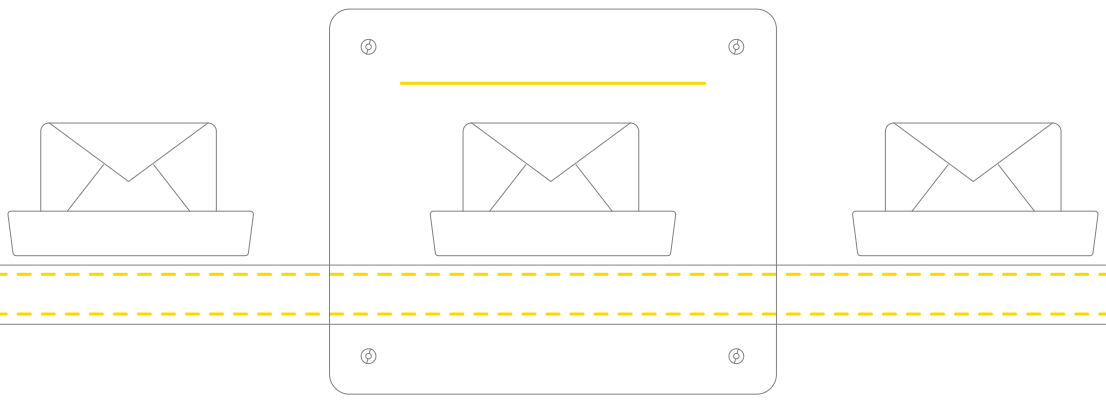

NAS 'Network Attached Storage' data storage system
You can use various access protocols such as FTP, SFTP, HTTP, HTTPS, and SCP to easily and securely access your Storage Box. You can even integrate your Storage Box into your own file system via WebDAV or Samba.
Our advantages

Our services are automated to guarantee you total control and centralized management.

Depending on the service, you will be refunded within 3 to 30 days if you are not satisfied.

Several payment methods are available, including international and Moroccan bank cards, credit cards, and PayPal.
We work with state-of-the-art tools

SFTP / FTP
Advanced security features allow users and groups to transfer files securely.

Samba
Seamlessly integrate Linux/Unix servers and workstations into Active Directory environments

WebDAV
Create, edit, and move documents collaboratively on remote web servers

BorgBackup
Borg provides an efficient and secure way to back up data, suitable for daily backups.

Proxmox
Email security solution protecting your email server against all email threats

VMware
Take advantage of all multi-cloud offerings with a trusted foundation to accelerate innovation
Frequently Asked Questions
Objective answers to frequently asked questions
- Your domain must not be expired. The contact email address in the Whois record must be valid. Unlock the domain (status: ACTIVE/OK). Retrieve the Auto Transfer Code (EPP Code) from your previous provider.
- Please find below the steps to follow to configure your Zimbra email accounts in Outlook and on smartphones and tablets:
1. Open Outlook
2. Click on the Tools menu and then on Account Settings...
3. Click on the New button to register a new email account
4. Check the box in the bottom left corner: "Manually configure server settings or additional server types". 5. Click the Next button. 6. Choose: "Internet Email" and Next. 7. On this page, you need to enter the following information: Your name: Company Name Email address: for example, contact@domainname.com Account type: POP3 (IMAP is recommended) Incoming mail server: webmail.ma Outgoing mail server: webmail.ma Username: Your email address (e.g., contact@domainname.com) Your password: Use the password for this account. 8. Then click the "Additional settings" button. 9. In the Outgoing Server tab, check the box "My outgoing server requires authentication to connect". 10. In the Advanced Options tab: The Incoming Server port is 993 (Check the box "This server requires an SSL encrypted connection") The Outgoing port must be 587
11. You can click OK, Next, and Finish
- If available, otherwise a CCTLD domain name would be good, such as .com, .net, .ma, .fr, .eu, or .sn. Newer extensions like .travel, .sarl, .rent, and .hotel are also good choices. Each website's URL can be divided into different parts...
Country code top-level domain (ccTLD): there are actually several types of TLDs...
Generic top-level domain (gTLD)... Second-level domain (SLD)... Third-level domain... Premium domain.
- Search for your domain name.
Finalize your domain name selection.
Choose a domain name suffix, such as .com, .ma, .org, .net...
Purchase the domain name.
Add domain ID protection.

Need help? Contact us!
We are here to answer your questions about our products and help you find the solution that meets your needs.


